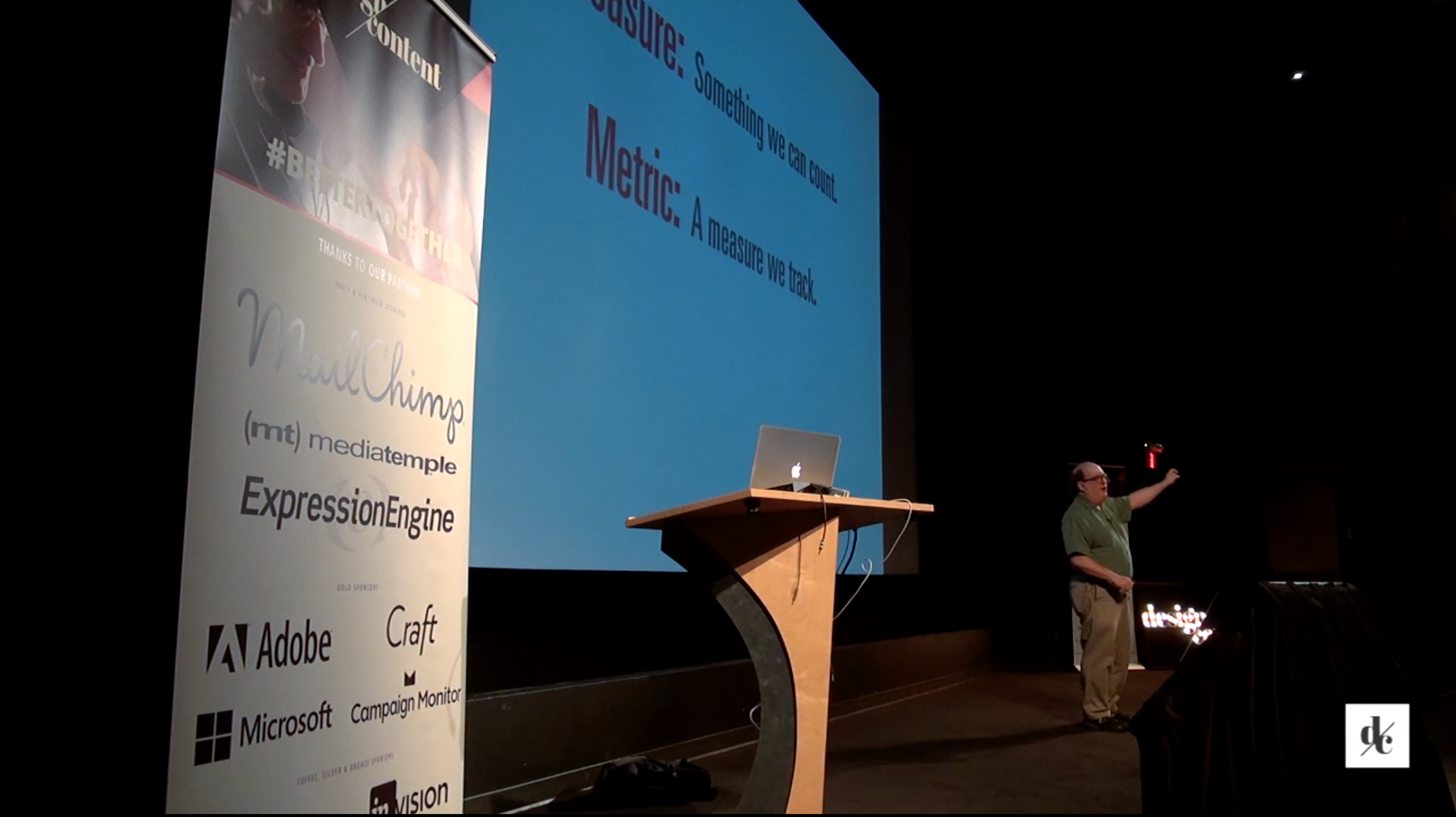

Jared M. Spool

Jared SpoolJared is Founding Principal of User Interface Engineering. He's been working in the field of usability and design since 1978, before the term "usability" was ever associated with computers. Jared has guided the research agenda and built UIE into the largest research organization of its kind in the world.

Jared is a top-rated speaker at more than 20 conferences every year. He is also the conference chair and keynote speaker at the annual User Interface Conference, and is on the faculty of the Tufts University Gordon Institute.

Jared's posts:

UIEtips: Being Real Builds Trust

January 25th, 2013 by Jared Spool

In this week’s UIEtips, Steph Hay discusses how trust inspires confidence, which in turn compels
decision-making.

Here’s an excerpt from the article

Our best chance for establishing trust with our users is to be honest. After all, trust inspires confidence. And it’s confidence—not just a knowledge of differences—that compels decision-making.

Perhaps we should stop fixating on what makes us different and, instead, acknowledge the real aspects of who we are, what we do, and why people choose us.

How can we start getting real?

Read the article: Being Real Builds Trust.

Build Trust With Your Users

On February 14, in her seminar Building Trust with Your Users through Messaging & Copy, Stephanie Hay is going to show you how to take cues from online and offline interactions to write candid content, craft helpful user experiences, and maintain users’ confidence even when you “fail.”

How does your copy install trust and inspire confidence with your users? Tell us about it below.

UIEtips: 6 Tips for Organizing Sketched Artifacts

January 16th, 2013 by Jared Spool

In this week’s UIEtips, Nathan Curtis shares 6 tips on storing and organizing sketches.

Here’s an excerpt from the article

Sketches enable us to quickly depict and share ideas with each other, but are also considered disposable. Sketches represent an intermittent state leading to something better, more refined. As artifacts, they are fleeting renditions of the concept, a point in time idea dismissed into the (ideally recyclable) waste baskets of sketching sessions and desktop brainstorming.

We may find ourselves amid the next hour’s design studio summation. Or the day’s prototyping. Or the next week’s task scoping. Or the next quarter’s project proposal. But the sketch’s value extends beyond the initial presentation and discussion.

As such, we’ve adopted techniques for organizing our sketches for future reference, even into the annals of antiquity!

Read the article: 6 Tips for Organizing Sketched Artifacts.

Learn More

Want to learn more about how to capitalize on the productive power of sketching? Join us on January 17, when Nathan presents Sketching for Understanding. Nathan will lead you through the processes, people, and purposes behind different types of sketches.

How have you organized your archive of sketches? Tell us about it below.

UIEtips: The Power of Sketches: How We Sold a Huge Project Shift with 5 Index Cards

January 8th, 2013 by Jared Spool

In this week’s UIEtips, Nathan Curtis will share how he shifted the design direction of a large project with just 5 index cards.

Here’s an excerpt from the article

The concept was a dramatic shift from anything prototyped, discussed, or even sketched during the studio. It was safe to say: the client had never seen this before. To introduce this idea at this stage risked shaking things up and requiring yet another presentation that convened the stakeholders.

As the flourish concluded, we had to make a decision: do we share this idea, risk the implications that we start prototyping again from scratch, and have to “re-sell” an idea, again? Or, do we play it safe, stick with concepts everyone already knew?

With sketching, we could propose both.

Read the article: The Power of Sketches: How We Sold a Huge Project Shift with 5 Index Cards.

Learn More

Want to learn more about how to capitalize on the productive power of sketching? Join us on January 17, when Nathan presents Sketching for Understanding. Nathan will lead you through the processes, people, and purposes behind different types of sketches.

How have you used sketches and prototypes to sell your concepts? Tell us about it below.

UIEtips: 3 Big UX Lessons Ripped from 2012 Tech Headlines

January 2nd, 2013 by Jared Spool

In this week’s UIEtips, I share the 3 big UX lessons learned from the top tech headlines of 2012.

Here’s an excerpt from the article

On the surface, this story was about a company using the inventions of another company without permission. Apple claimed — and the jury agreed — that Samsung violated some critical patents in the design of the iPhone. Samsung should’ve either paid Apple for the rights or come up with their own inventions.

Yet, just below the surface, the trial’s key message was how desirable a great experience is and what a company will do to achieve it. Samsung might’ve come up with a great experience on their own, but borrowing from the Apple iPhone experience was too good to pass up.

How good? The jury awarded Apple $1 billion. Ok, that’s pretty good.

Read the article: 3 Big UX Lessons Ripped from 2012 Tech Headlines.

See Jared in person

Jared is keynoting at this spring’s UX Immersion Mobile Conference in Seattle, WA. Three days that delivers in-depth full-day workshops on every important topic for mobile UX designers. Get the details at UXIM.co.

Which UX related news story grabbed your attention this year? Tell us about it below.

Mobile UX Resources: 12 podcasts from UX experts focusing on mobile design

December 23rd, 2012 by Jared Spool

Are you familiar with the 12 days of Christmas? Well we’re twisting it and offering 12 days of mobile podcasts from today’s mobile UX leaders. They’re so good you may not want to do just one a day. Play the podcast on your computer or download the files and listen at your convenience. And feel free to share them with others.

Navigating the Mobile Landscape
Luke Wroblewski

Luke WroblewskiMobile is the “hot topic” these days. It’s increasingly at the front of designers’ minds. In a world where the power and capabilities of the device in your pocket are so great, the possibilities become somewhat astounding. The mobile landscape is changing so rapidly that it makes developing a formal strategy to “figure mobile out” all but impossible. Luke discusses how taking advantage of the market as it is today and the capabilities of these devices can lead to the refinement and evolution of your product.

Listen to Luke’s podcast.

Mapping the User Experience
Chris Risdon

Chris RisdonIn the current multi-device, interconnected landscape, a user can interact with your product or service from a variety of touchpoints. At each, you must address the user’s needs at a particular place and time. Those needs will be determined by where they are in the experience.

Listen to Chris’s podcast.

Mobile-first Responsive Design
Jason Grigsby

Jason GrigsbySpeed and performance are a critical aspect of mobile design. Using media queries to design your site responsively is a great way to ensure proper display on mobile devices. But just shrinking a desktop site to work on a mobile device can affect performance.

Listen to Jason’s podcast.

Designing Multi-Device User Experiences
Luke Wroblewski

Luke WroblewskiContext is an important consideration in designing a mobile experience. As new devices enter the market, designers have to contend with new form factors and consider things such as ergonomics. Even things such as Apple’s retina displays affect approaches to design.

Listen to Luke’s podcast.

Content Strategy for Mobile
Karen McGrane

Karen McGraneYour content is visible practically everywhere. Content strategists need to structure content to allow for viewing on an array of devices. What does that mean for your content management system? And what do you need to build into your content to make it flexible and adaptable?

Listen to Karen’s podcast.

Buttons are a Hack
Josh Clark

Josh ClarkTouchscreen devices give you the ability to directly manipulate content. This allows designers to create interfaces where the content itself is the control. This lessens the need for buttons and can reduce the level of complexity within your design. The problem is making the user aware of the availability of gestures in your design. Gestures, especially multi-touch gestures, are powerful control mechanisms but useless if the users aren’t aware of them.

Listen to Josh’s podcast.

Adapting Your Designs with Progressive Enhancement
Aaron Gustafson

Aaron GustafsonIt’s difficult to predict how users will access your designs and your content. More and more, people are connecting to the internet through some sort of mobile device. Using the latest advances in HTML and CSS can leave aspects of your site incompatible with some browsers. How do you ensure that you’re providing a good experience to your users over a broad spectrum of scenarios?

Listen to Aaron’s podcast.

Innovative Mobile Intranet Design
James Robertson

James RobertsonWith mobile, you simply can’t have as much content on your pages as you do on the desktop. Intranet access within enterprises is crucial and accessing it with mobile devices is beneficial. However, the vast amount of pages and content is cumbersome and impractical for a mobile setting. James Robertson asks, what are the few essential things users need while they are away from their desks?

Listen to Jeff’s podcast.

Creating Great Mobile User Experiences
Rachel Hinman

Rachel HinmanMobile is greatly influencing the user experience community. It’s challenging traditional approaches to design, but also bringing with it a host of new opportunities. Being a user experience practitioner in this changing environment is a bit scary. Yet coupling existing skill sets with the constraints of designing in the mobile space makes for an exciting world full of possibility.

Listen to Rachel’s podcast.

Examining Mobile User Input
Luke Wroblewski

Luke WroblewskiTouch screen devices are commonplace. It’s now expected that your mobile experience work as well as, if not better than, your desktop experience. With faster connection speeds, cameras, GPS, gyroscopes, and accelerometers, we can deliver information to users in new ways. But we can also receive information from them as well.

Listen to Luke’s podcast.

Discoverability in Designing for Touch
Josh Clark

Josh ClarkWhile the traditional “mouse and cursor” interfaces are still in use, many of us are becoming familiar with touch-based interactions. The power and capabilities of mobile and tablet devices is growing. Often, these devices are the more convenient alternative for users to access your content. But beyond accessing your information, how are they interacting with your design?

Listen to Josh’s podcast.

Beyond Channels: Context Is King – A 2012 IA Summit Podcast
Emily Wengert

Emily WengertWhen smartphones and tablets first emerged, designers focused on channel differences like screen size in order to understand the basics in this new area. It’s time to set aside channel-centric planning and think of a user’s context first.

Listen to Emily’s podcast.

Looking to enhance your mobile UX design skill set?

Choose from six daylong mobile design workshops. You also attend a day of 90-minute talks. All at the UX Immersion Mobile Conference in Seattle, WA, April 22-24. Explore the conference topics at UXIM.co.

UIEtips: 6 popular articles from 2012

December 19th, 2012 by Jared Spool

During 2012, we published 37 articles in a variety of areas in user experience. Sure, we’d love you to read all the articles, but we realize it’s difficult to find the time. So we’ve put together a list of the more popular articles. Some of these articles are by guest writers, others are based on the research we d

Use the insights you learn from these articles to enhance your designs in 2013. Now, without any further ado and in no particular order here are the 6 article excerpts and their links.

The Magical Short-Form Creative Brief
Jared M. Spool

Something this simple shouldn’t have such wide–spread, long–term effects on the quality of a team’s work. Yet surprisingly, it does.

We first saw it with one of our clients. It was this weird ritual at the start of every meeting that discussed one of their designs.

One of the team members, always a different person, would read the exact same document out loud, word for word. The document, about three–quarters of a printed page, contained a tiny creative brief about the design they were working on. Reading it out loud was how they started every design meeting, whether it was a brainstorming meeting or a design review.

Typically, this little pledge–of–allegiance–like ritual took about two minutes to complete. Not much really. However, it completely changed the tenor of the meeting.

Read the rest of Jared’s article.

Device Experience and Responsive Design
Luke Wroblewski

While the task of designing Web applications and sites for multiple devices can be daunting, two techniques can make the process more manageable: classifying device experiences and designing/building responsively. Here’s how these two approaches can work together to optimize interface designs across a wide range of connected devices.

Read the rest of Luke’s article.

Unleashing the Power of a UX KPI
Jared M. Spool

The Eight-Minute # Field

It took the customer-service representative what seemed like forever to explain this one field. In fact, it was just eight minutes – we timed it. He explained what the field did, how it worked, but most importantly, that the customer should never, ever, under any circumstances, change the value of this field in his customer profile to any value other than what it was currently set to. The field’s label was a very uninformative pound sign (‘#’) and the value that should never change was 1.

The customer on the other end of the phone will never get those eight minutes back. Nor will the customer-service representative. Nor will the three developers watching the recording.

But that eight-minute description of the # field and its never-to-change value was critical to the success of the product. It helped the team identify something that could easily be fixed and have ripple effects through the entire product.

Read the rest of Jared’s article.

Designing What’s Never Been Done Before
Jared M. Spool

For today’s designer, much of the work we do focuses on improving designs that already exist. Whether what we’re working on is something we’ve built or we’re improving on a competitor’s idea, we can look to what users do today to figure out where we can make the design better. We understand how to identify the improvements by using time-proven methods and processes.

However, with greater frequency than ever before, we now get opportunities to work on design solutions that don’t have existing models to work from. We’re working in the world of the “never been done before.”

Maybe we’re integrating a new technology into a workflow that’s never had something like that before, much like what’s been happening with handheld devices in medicine? Maybe we’re providing new data and insights to people because we can now combine data in a way we never could before, like what’s happening in the world of big data? Or maybe we have a way for users to take advantage of each other’s experience and knowledge, like some of the emerging crowd-sourcing applications?

Read the rest of Jared’s article.

In Defense of Lorem Ipsum
Karen McGrane

Lorem Ipsum is one of those things like silicone breast implants or orange spray cheese in a can that just seems wrong. It’s fake. It’s unabashedly fake. It calls attention to itself by being so fake, making you look at it in wonder, asking: “What is that? Can that be real?”

We don’t like fake, right? We like organic cheeses, and, well, organic breasts, and we’re 100% in favor of real content in our designs.

What you put in your mouth or have surgically inserted into your body is your business. What you put in your wireframes or your design comps? Well, that’s a heated public debate. With respected thought leaders asking us to pinky-swear that we’ll never, ever use Lorem Ipsum ever again, I want to say a few words in support of greek text.

Read the rest of Karen’s article.

Prototyping’s Resurgence: Communicating the Designer’s Intent
Jared M. Spool

Interaction design is facing a paradox because of two seemingly conflicting truths. The first truth, “Great design is done in the designer’s head.” Design is a thoughtful activity. We sit and consider what we’re designing very carefully. If we don’t have time and a place to think, the odds are we’ll arrive at a poor design.

However, that seems to be in direct conflict with another truth: “Design is a team sport.” Today’s interaction design is so involved, so complex, that it can’t be done by one person alone. Great designs come from teams of designers working together.

Yet we can’t shove the entire team into our head (or even part of the team, for that matter). So how do we reconcile these two truths? How can we do the design in our head while working as a team?

This is why prototyping is seeing a resurgence amongst interaction designers. I say resurgence because for the last ten or so years, prototyping hasn’t been a popular design activity.

Read the rest of Jared’s article.

See these authors in person

All three authors will be presenting at next spring’s UX Immersion Mobile Conference in Seattle, WA. Three days that delivers in-depth full-day workshops on every important topic for mobile UX designers.

Which articles did you find most valuable, or share with others this year? Tell us about it.

UIEtips: One Step at a Time

December 12th, 2012 by Jared Spool

In this week’s UIEtips, Derek Featherstone talks about integrating accessibility into your own work, no matter what it is that you do.

Here’s an excerpt from the article

As web craftspeople, we touch almost all aspects of a project. It can easily become overwhelming to think of everything that we need to take into account for accessibility. So much so, that it can become a complete bottleneck to actually making any progress with accessibility.

Many of us are soloists. Generalists. Others are specialists or one of many other-ists. You leave your mark on whatever it is that you do. It could be writing and content strategy, visual design, information architecture, mapping out process flows, or even just getting stuck up to the elbows in code.

Read the article: One Step at a Time.

Learn more from Derek

On Thursday, 12/13 Derek is presenting a UIE Virtual Seminar, Accessibility as a Design Tool. You’ll see why accessibility amplifies design problems that currently affect the users’ ability to complete objectives.

How are you and your team integrating accessibility into your processes? We want to hear your experiences.

UX Immersion Mobile: The Back Story

December 7th, 2012 by Jared Spool

Within moments of opening up registration for our newest upcoming event, UX Immersion Mobile, we had sold almost half of the available early bird registrations. This is nuts, because these folks are signing up for the program with the most minimal of information. Yet they trust us enough to know this will be an amazing event.

We’ve earned that over the 17 years we’ve been putting on our UIE conferences, masters tours, and workshops. It’s because of the hard work we put into every event we do that people know it’s going to rock.

Like our events, the concept for the UX Immersion Mobile Conference started almost a year ago. We wanted this year’s conference to be a deep dive into an important hot UX topic. Mobile was the obvious choice, because of how it affects every aspect of how teams work.

We decided to start with the full-day workshops. We love the full-day workshop approach because you get a deep, intensive look at the program. It’s perfect for people who want to learn to tackle their hardest challenges. In a full-day, you have time to ask questions and practice the methods. You can see where the subtlety and nuance plays a role. It’s a total immersion, which is what we’re all about.

Because this conference is focused on mobile UX, we needed to find six presenters who can cover all the different areas. Some were obvious choices, like Luke and Kelly. Others, we needed to find more details on.

Nobody gets on our program until I’ve had a chance to see them present. Just because you’re smart or have written a great book doesn’t automatically make you a great presenter. With full-day workshops, it’s a long time to sit in a room with someone who is hard to listen to.

Fortunately, I go to enough conferences every year to these folks. For example, I saw Chris at the IA Summit and Cyd at UX Friday. I knew they had the dynamic presentation style and depth of knowledge we needed to make it work.

We’ve been working with each speaker to custom design their workshops. It’s critical that each one get into the depth they need, but they can’t overlap with the other presenters. This way, hardly a moment is wasted on duplicate information and techniques. All that coordination takes work, and that’s what we’ve been doing.

We’re so confident we’ve put together a great program, that we can offer our 100% guarantee. We promise you’ll get what you need. When we get the full-session descriptions up in January, you’ll know exactly what the presenters will cover in their workshops. If that sounds awesome to you, then sign up, because we know you’ll get what you need to create great designs. Or we’ll give you your money back.

The early bird registrations are going fast. We’ll have seats at the $1,689 regular price once the initial 125 seats are sold, but if you trust us like all these other folks, you can save yourself a little money by registering now. (Don’t delay, though. As you can see, these early bird seats are going fast.)

Go explore the conference, and we’ll see you in Seattle in April.

UIEtips: Mobile UX’s Tsunami-Sized Ripple Effects

December 6th, 2012 by Jared Spool

In this week’s UIEtips, I look at how mobile technology affects our design and development decisions and how it changes the user experience.

Here’s an excerpt from the article

It’s a big deal. A really big deal.

The pebble of the mobile phone hitting the market has grown into a massive, earth-moving force of nature that is fundamentally changing how we look at our design work. If your design team isn’t preparing for this change, you’ll be washed away when it makes land in your part of the world.

It touches every part of our UX work, from how we design our interactions, to how we integrate the devices. It affects how we figure out what to build and how we interact with the rest of our organizations. Who would’ve thought that something as small as a smartphone would have such a tsunami-sized ripple effect through our work?

Read the article: Mobile UX’s Tsunami-Sized Ripple Effects.

Boost your mobile UX skills

It was just this realization of how important mobile UX is that put our team in motion to create next spring’s UX Immersion Mobile Conference. Three days that delivers in-depth full-day workshops on every important to topic to mobile UX designers. Get the details at http://www.uxim.co/

How are you and your team adapting to the ever changing sea of mobile design? We want to hear your experiences.

UIEtips: Device Experience & Responsive Design

November 27th, 2012 by Jared Spool

In this week’s UIEtips, we look back at an article we published in March 2012, Device Experiences & Responsive Design. In the article, Luke Wroblewski shares two techniques to make the process of designing web applications and sites for multiple devices more manageable: classifying device experiences and designing/building responsively.

Here’s an excerpt from the article

Within any device experience, there’s still a lot of variation -especially in display sizes. Connected TVs, laptops, desktops, tablets, smart phones, and feature phones all come in a variety of screen resolutions, densities, and aspect ratios. But don’t worry…responsive design can help.

Responsive design allows you to fill in the blanks within device experiences through the application of fluid grids, flexible images, and media queries. So once you have an optimized tablet solution, the difference between a 10 inch screen and a 7 inch screen is covered by responsive design and a few simple rules of adaptation like adding additional rows, increasing image sizes, and the like.

Read the article: Device Experience & Responsive Design.

Learn more on responsive design

From desktop monitors and TV’s to mobile phones and tablets, how does each affect users’ expectations, what influences users’ device purchase in the first place, and why is responsive design the way forward? On November 29, 2012, Peter-Paul Koch will answer these questions and more in his webinar, Solutions for A World of Countless Devices.

What techniques are you using to reduce the costs of iteration for your team? We want to hear your experiences.